
Rowing regatta timing with RaceClocker
RaceClocker facilitates lane based rowing regattas, from 2 lane knockout events to full on 6-8 lane tournaments. This cookbook covers the basics and has pointers to more detailed posts and tutorials.
Lane based rowing races
RaceClocker grew up in rowing. It's best known for timing head races and other individual time trial formats, but it's also a capable choice for multi-lane 1k and 2k regattas, a use case that rowing associations and regatta organisers around the world have quietly been relying on for years.
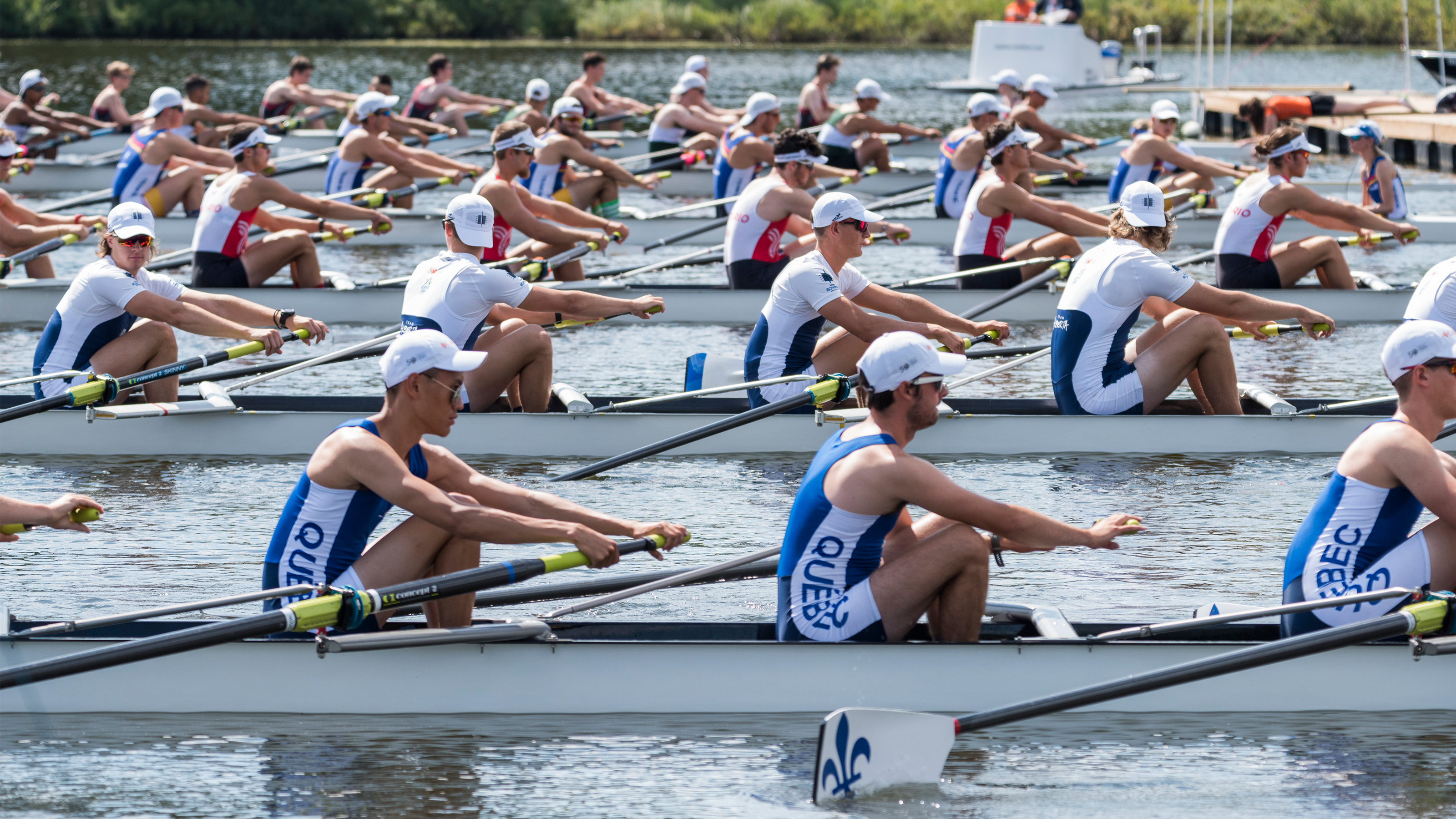
Two recent additions, progression handling from heats through to finals, and Finish Cam livestream video integration, make this a good moment for a fresh look at the full feature set. This post walks through a complete regatta workflow, from importing your entries to publishing live results, and shows why RaceClocker is, for many organisers, a reliable, straightforward, and more affordable choice.
From registration system to start list
After downloading your entry data, the overall regatta schedule needs to be put together. Depending on the format of the registration data this can either be done in RaceClocker’s start list editor or in a spreadsheet application. Source data is usually ordered by category (sometimes called 'field' or 'type'). Each category then needs to be split into heats, with the number of heats determined by the lane count at your venue.
An automatic drawing and seeding process of fields into heats based on lane count and preferred progression model is not yet part of the current RaceClocker feature set. We expect this preparation part of race management is in most cases done in a spreadsheet or in the registration application.
However, Raceclocker does have a couple of handy features in case you prefer to do all regatta start list and progression planning in the startlist editor. Examples of these are 1) CSV or XLSX import of your race data, 2) randomizing the order in a heat, 3) auto number lanes (or bib numbers), and 4) drag/drop individual crews as well as entire heats for quick rearrangements.

Import your race data
The start list editor in RaceClocker has a drag/drop importer for Excel or CSV files. Data can also be copy/pasted from an online sheet (like a Google sheet) without the need for creating files. As soon as the data is read, your own race sheet should be converted to RaceClocker data fields. A few things are worth noting when interacting with the ‘column mapper’ in RaceClocker.
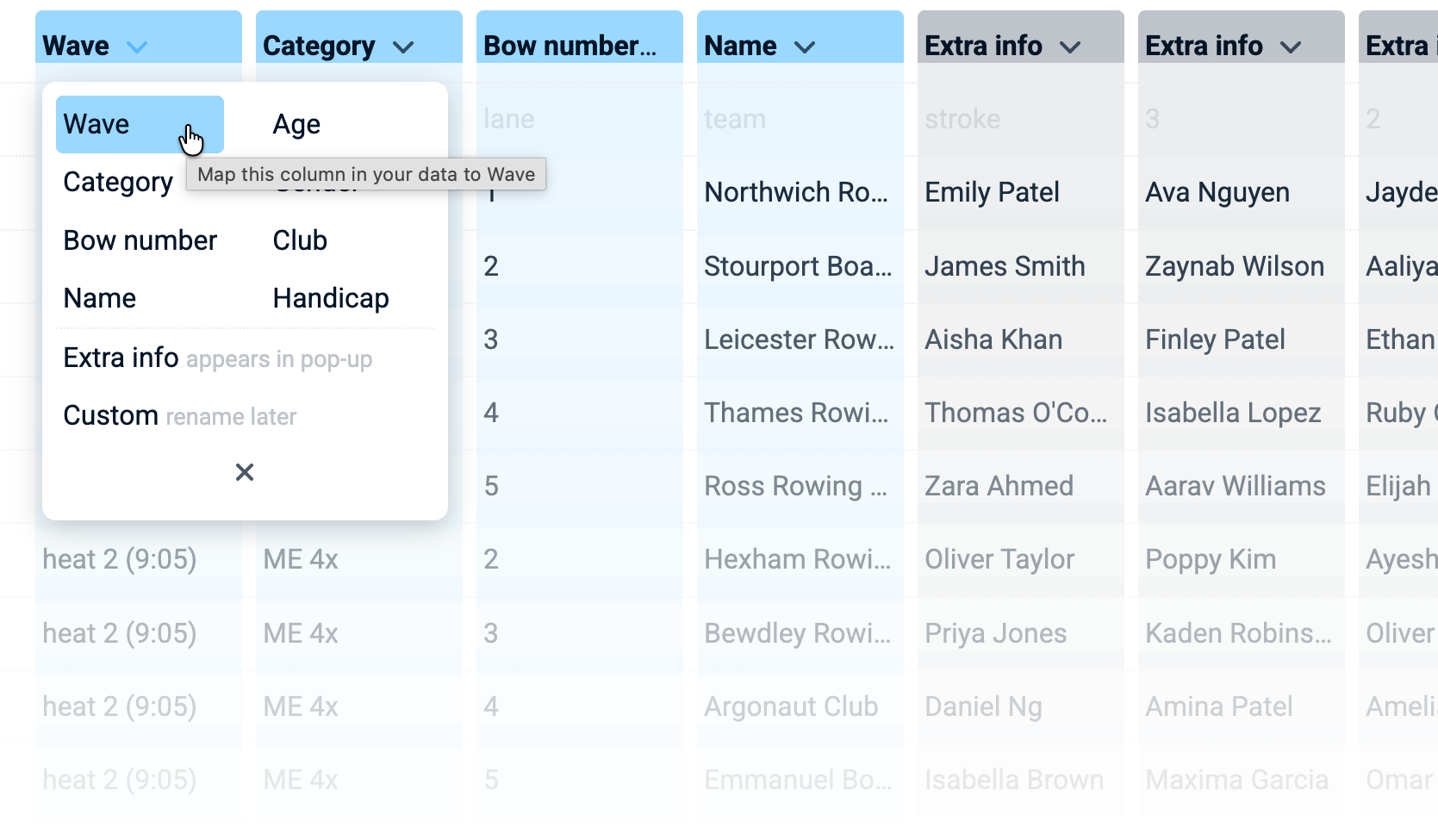
Each line in the source data should represent a single crew. To make sure they are all grouped in the same heat, this means the name of the heat should be identical on all rows in the data for that heat. In RaceClocker a heat is named ‘wave’ representing a group of participants starting simultaneously. Make sure each heat has a unique name, for example by including the start time, or an incremental number.
If your source data has a single row per heat (and all crew names are in separate columns) than fastest is to use an AI to convert the sheet to one row per crew, add lane number in a column, and copy the heat data.The mapper includes a customizable field that can be renamed. This ‘custom’ field can for example be used for boat name.
Multiple columns can be mapped to ‘Extra info’. This data will be included in the start list and the results as a detailed information pop-up, that’s shown when the name of the crew is clicked. Extra info is included in the search scope and thus makes it easy to find an individual in the results.
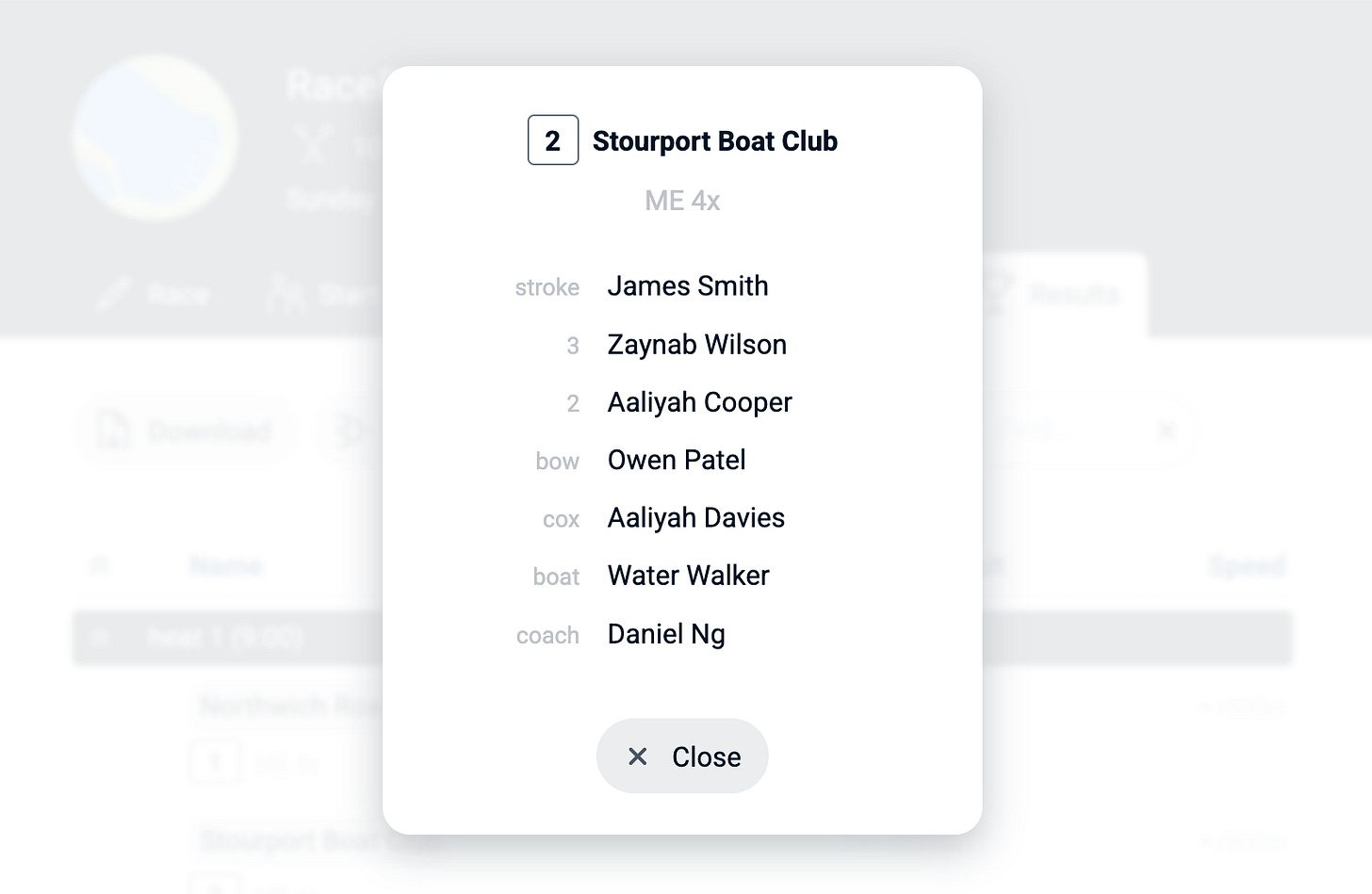
Pop-up with crew details as imported via ‘Extra info’
We started to add direct import modules from registration websites. For example for the Dutch KNRB registration system a categorized list of entries can be imported automatically, with a bonus that Masters correction factors are applied based on each individual’s age and gender.
Start list notes
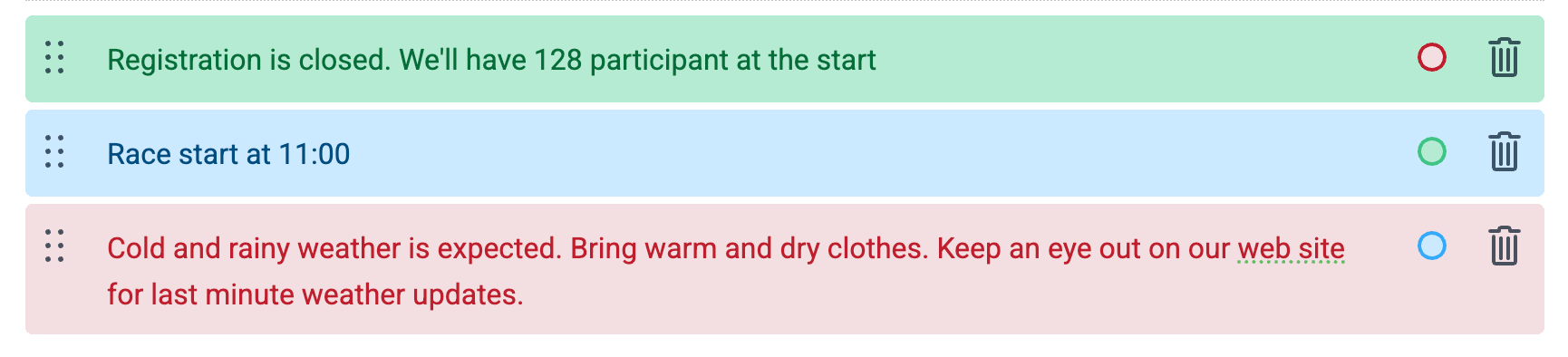
To share short messages to participants the start list (and results) can be augmented with start list notes. These notes can be included anywhere between heat headers to help segment the overall regatta and to communicate important information. Start list notes are added and managed in the start list editor.
Manual race timing
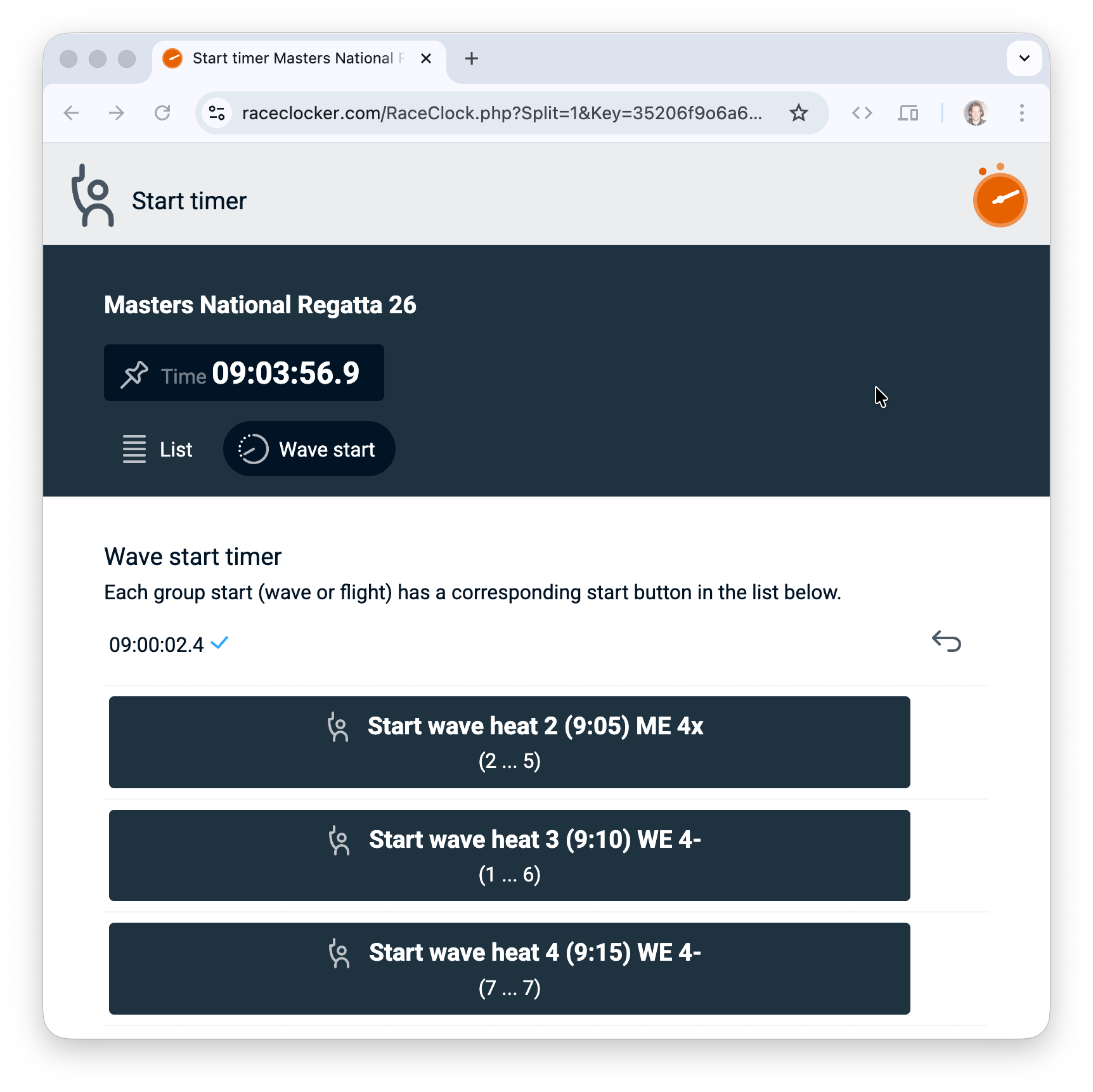
The manual timing of the race is the core of RaceClocker’s functionality. At the start point, each heat has a single ‘wave start’ button. The RaceClocker timer app is shared via a link to the timekeepers in your event. The timer app runs on any web enabled device. Connectivity drops are handled via a robust offline storage feature that ensures time stamps never get lost.
The finish timer is much more sophisticated as it needs to handle multiple boats crossing the finish line (very) close to each other or even simultaneously. For this the RaceClocker timer app is hardware supported. Either an external wireless Bluetooth button like the FLIC button connected to a phone, or an USB connected button can pass the finish time pulse to the app. Another option is to use a laptop, where the space bar acts as the finish button.
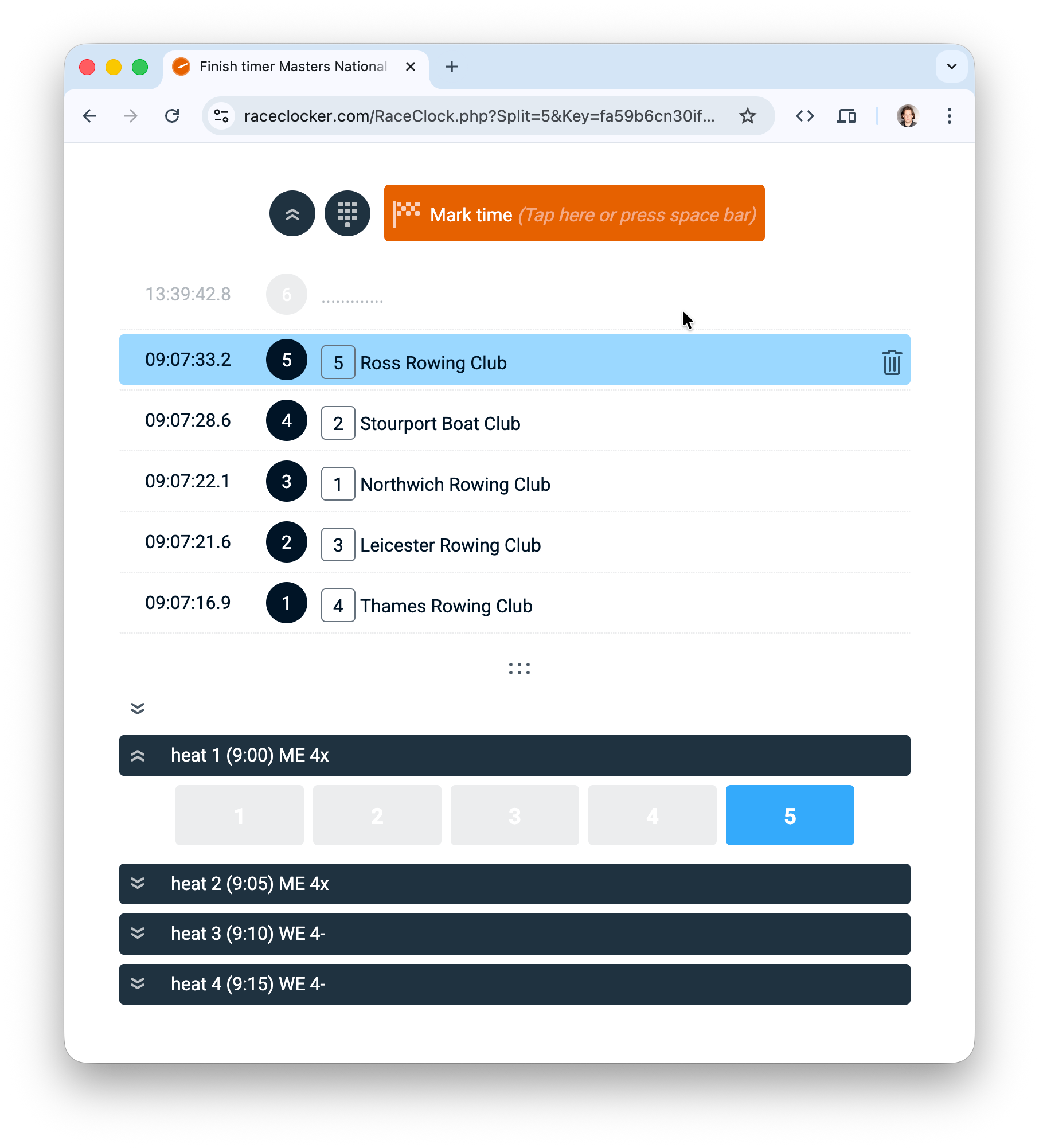
Using the 2-step timer, two or more timekeepers collaborate. The first timekeeper is focused on the finish line and marks each passing with a tap on the space bar. A second timekeeper connects the time stamps with the corresponding lanes or crews. Each is using a dedicated laptop (or other connected device). Multiple people and devices can actually work simultaneously as all timing actions are synchronized to all other connected devices instantly.
For more detail on the finish timer app, the various mode and to see 2-step timing in action, have a look at this section of the finish timer app tutorial. More info about using hardware buttons and keyboard based devices is found here.
Finish Cam livestream video
When a race has a very close finish, or when the manual timing missed a time stamp mapping, the livestream Finish Cam app for iPhone is a perfect backup option. More recent iPhones have an excellent camera and are very capable for video streaming.
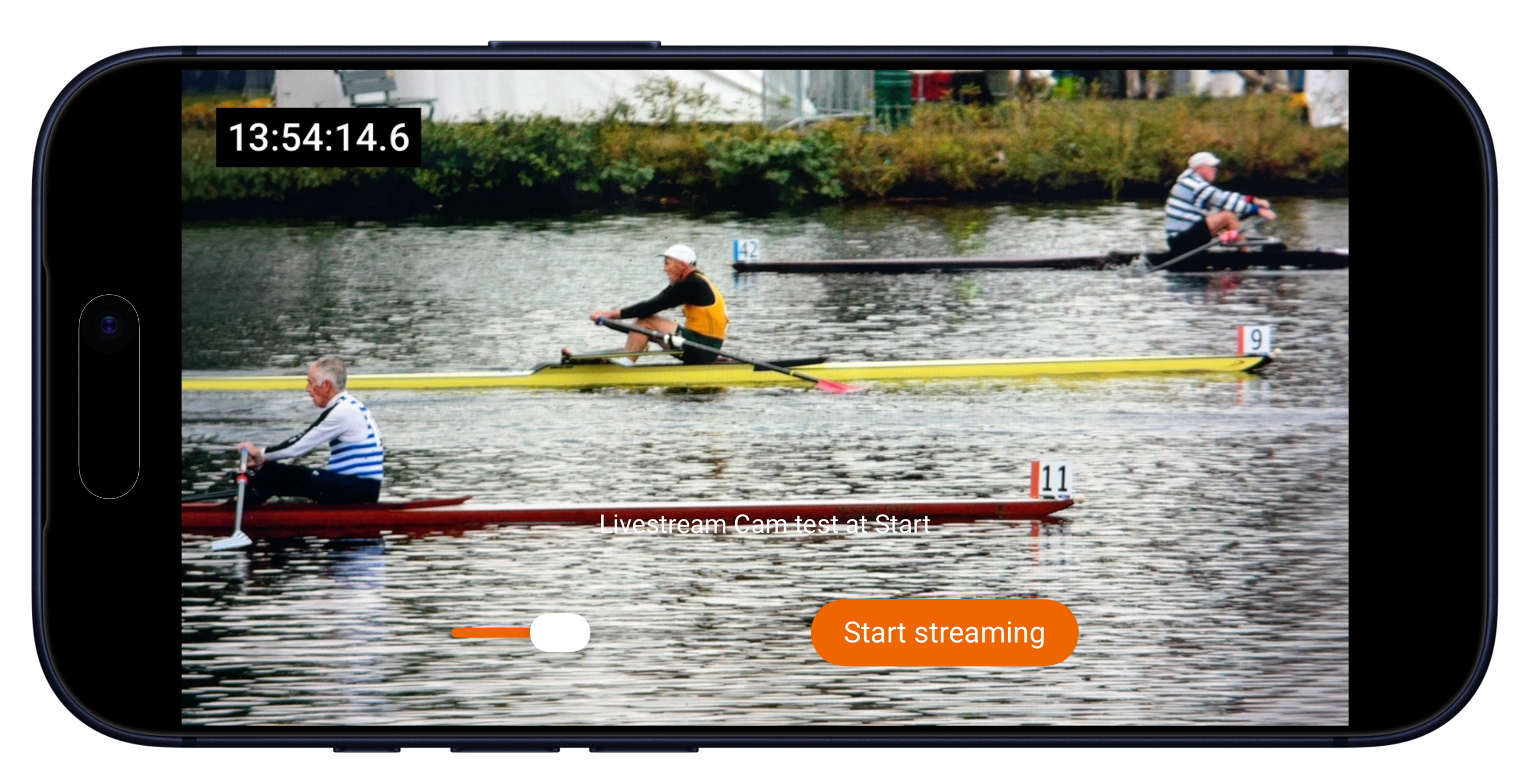
The live stream is fully integrated in the RaceClocker Dashboard. A synchronized ‘wall clock’ time is embedded in the video and can be used in multiple ways: 1) in the dashboard any time stamp can be clicked which moves the playback head to the corresponding point in time and 2) any time stamp from the video can be copied in a single click from the video to the dashboard - which makes processing a photo finish or making a correction fast and easy. More about the Finish Cam app for iPhone in this post.
Split points at 500/1000/1500m marks
In the set up of your race (the first tab in the race directors management environment) a number of split points can be set. Here you may add three split points to mark the 500, 1000 and 1500 meter mark of the regatta. Timekeepers at those split points receive a dedicated timer app link for that point. Again, any connected device can be used for the timing and since precision is less critical, two people with each a smartphone can accurately capture the split times using the 2-step timer.
Progression to quarterfinals, semifinals and finals
RaceClocker is not a fully automated regatta manager, however organizing the rounds later in the day based on results in the heats or the morning time trial is easy. A ‘Progression’ feature is integrated in the results page for Premium subscribers. It makes it easy to select the fastest finishers of the heats to progress them to future rounds like quarterfinals or semifinals.
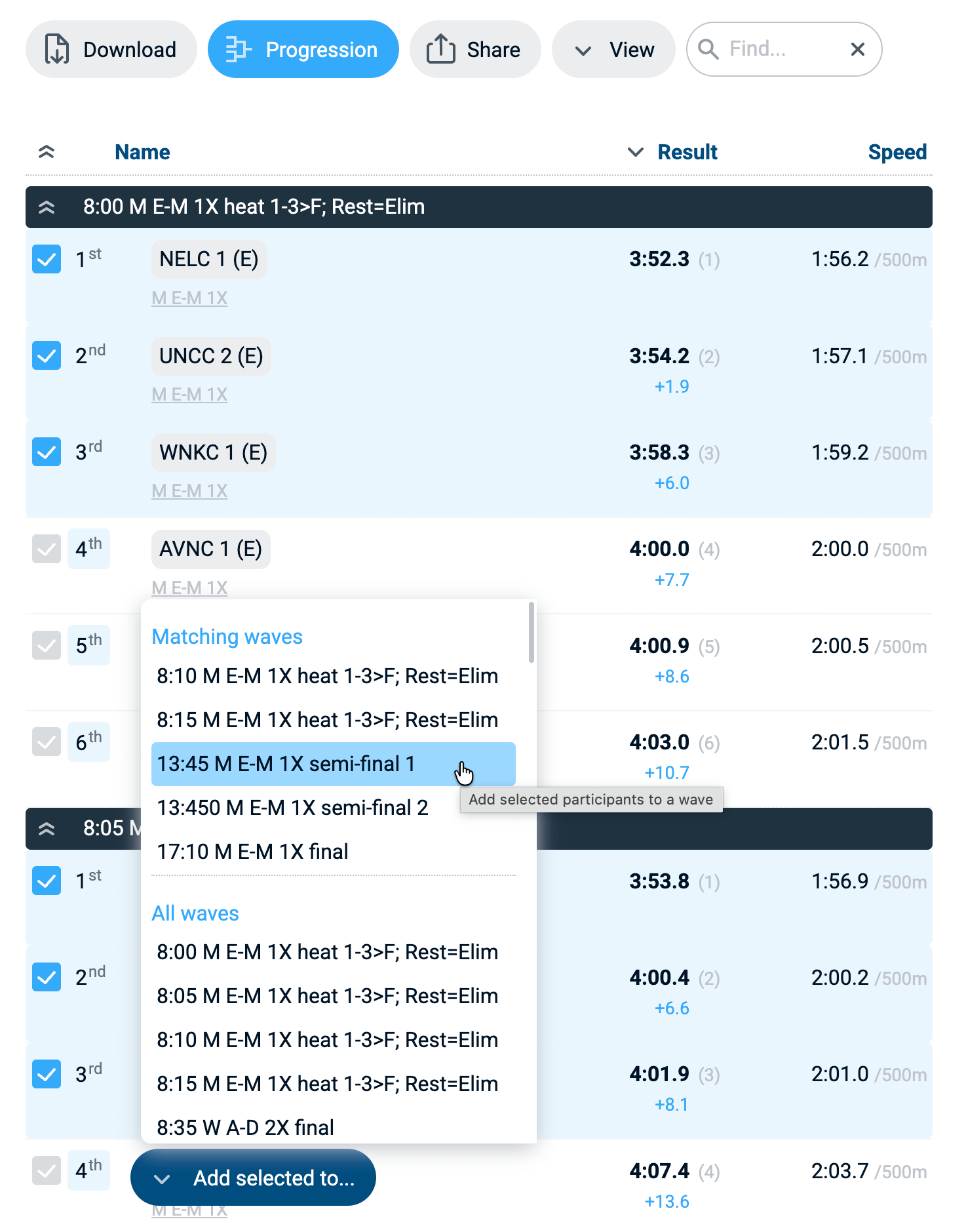
Progression ‘adds’ a participant to future round. It creates a copy of all details of that crew except obviously of the start and finish time. A short demo and the key features around progression can be reviewed in this tutorial.
Time trial and rounds in a single race format
In some regattas, the first shift of participants is done via an individual time trial instead of via heats. Often the distance is a bit shorter (because of a flying start). In RaceClocker the timetrial can be integrated in both startlist and overall results. It’s set up using two features: 1) the distance can be ‘overridden’ per heat (wave) or category. In the startlist editor the distance can for example be set to 1800m as an override of the standard 2000m for the regatta. 2) The wave-based start timer includes a ‘List’ tab where each individual in a heat appears with an individual start button, so time trial starts can be timed for each crew separately.
Jury notes
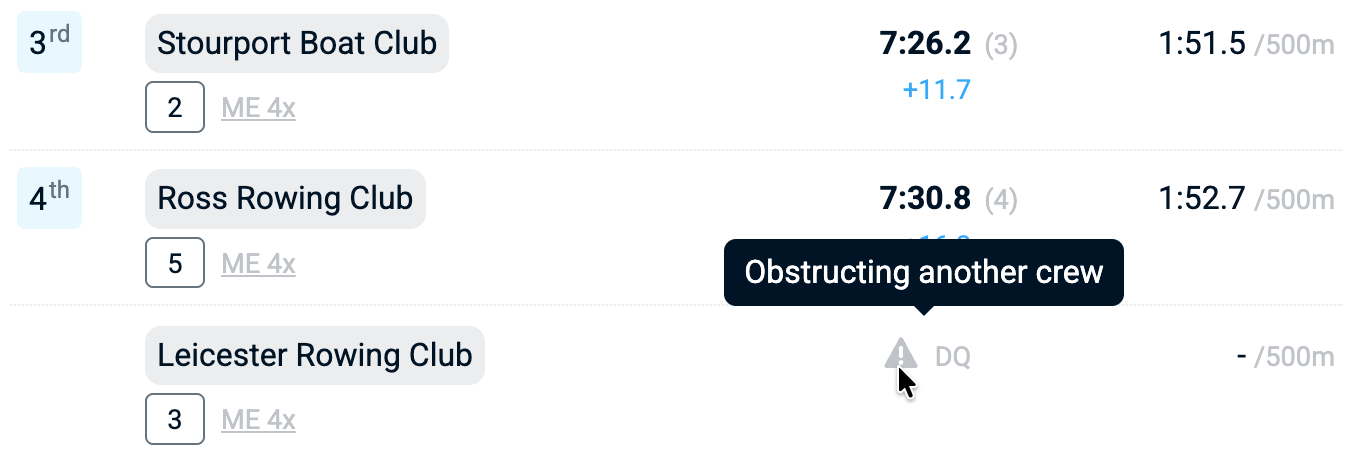
List notes can be used to communicate if there’s a jury issue after a certain race, for example to communicate that the results are still ‘under review’ following a protest for example. In the dashboard the jury can apply a time penalty, or declare a crew as ‘DQ’. A short message (visible in a tooltip in the results) can be included to explain the jury call
Live results
RaceClocker’s results reflect the race results in real time. As soon as a time stamp is made it subtly updates. Results can be shared via a link, via a QR code or can be found on our public results page at https://raceclocker.com/Results.php
Results can be grouped by wave, by category or by gender and shown with more or less detail (for viewing on a phone). It also supports a mode where the most recent finishers appear at the top of the list (Live finishers).
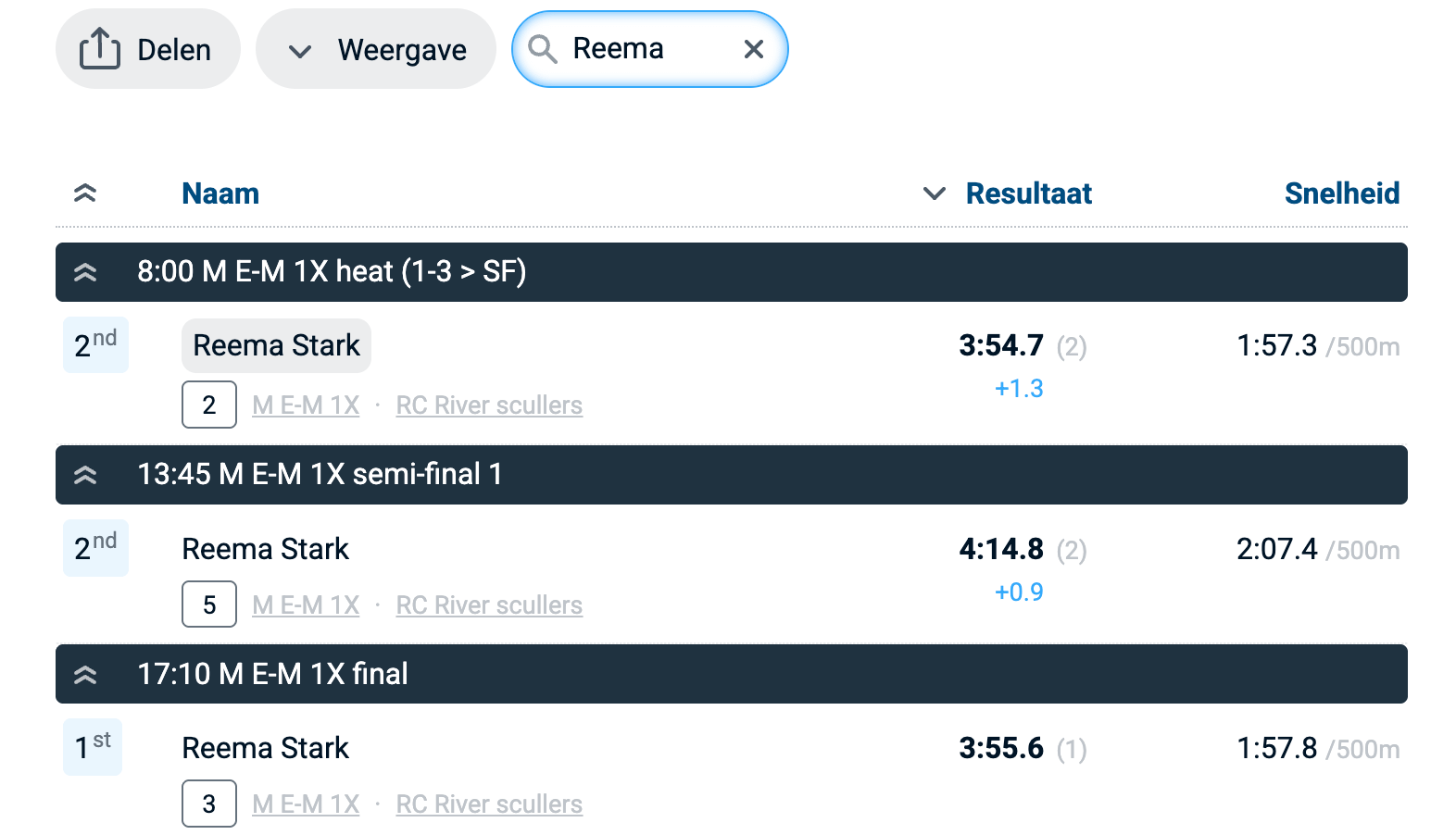
The ‘search’ field on the results page can be used to find all crews and rowers of a certain club, or it can find an individual rowing in any of the crews.
Broadcast support
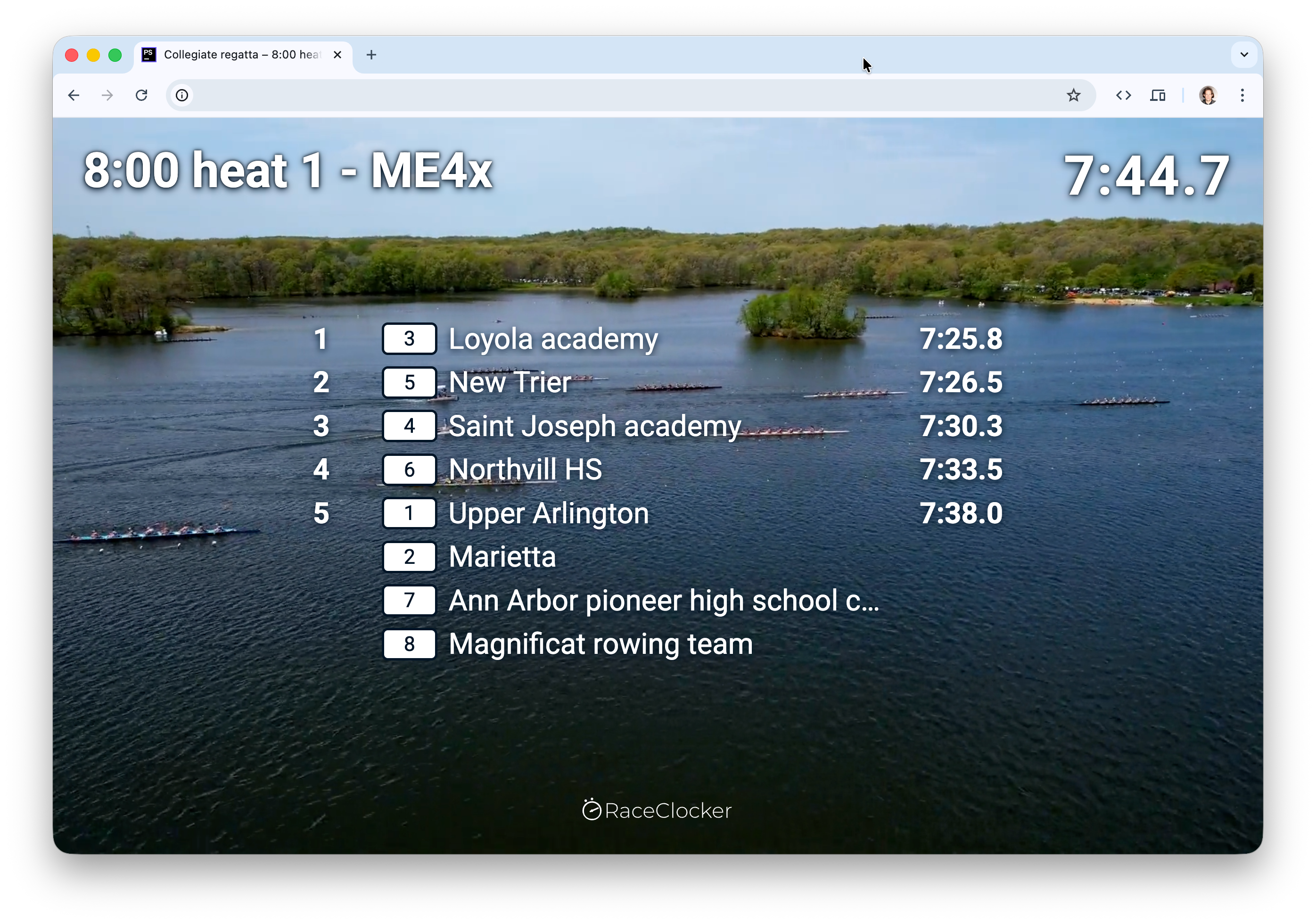
For broadcasting a regatta, RaceClocker provides a dedicated broadcast view that can be composited as a graphics overlay in a video production setup. Each heat has its own page that progresses through three states: the start list before the race, the running clock and live race progress once it's underway, and the final heat results as soon as the times are in. The page opens in its own browser window so a broadcast operator can pick it up as a video source, and it stays synchronised with the live timing feed, every new time stamp appears instantly.
A few recent lane based events as examples
Beach sprint timing
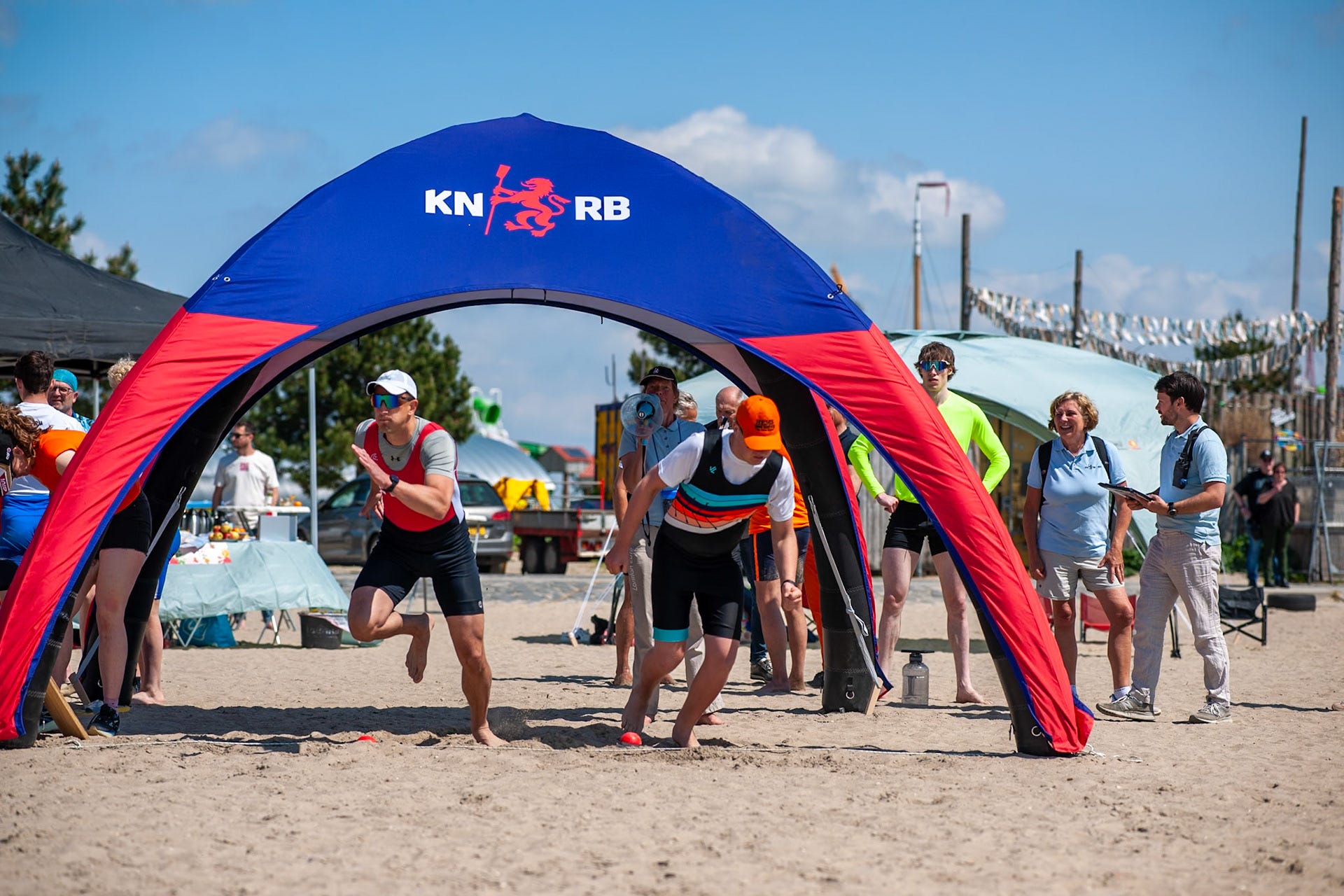
The RaceClocker list timer supports a dedicated mode for beach sprint finish timing or similar one-to-one knock out race formats. By ‘arming’ two wired or wireless emergency button, sprint finishers stop their own clock at the finish line. More info on how to use this feature is here
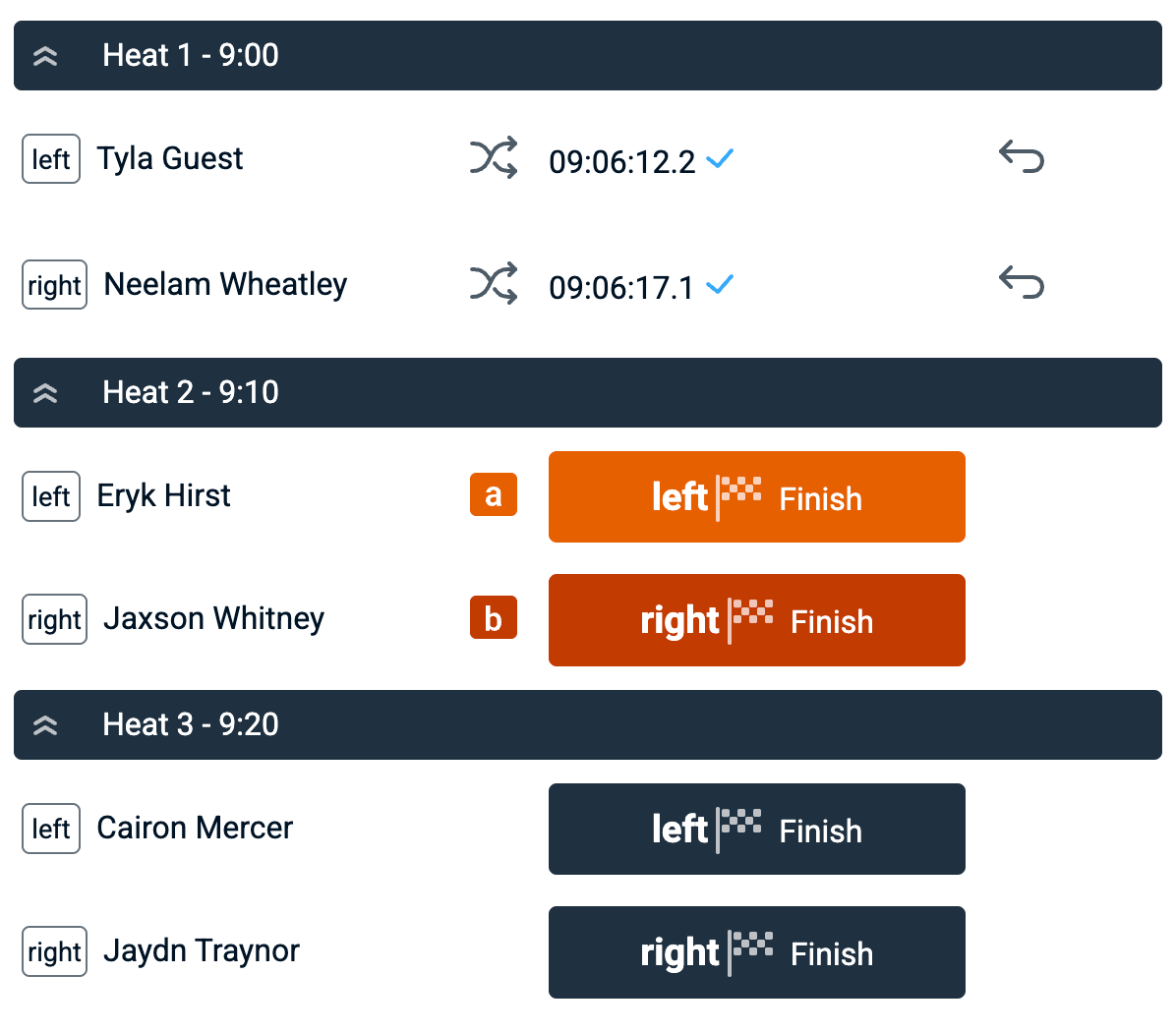
Buttons are armed as ‘hot’ by the race manager and to clarify the correct mapping, an orange 'a' icon and dark orange 'b' icon appear in the view. Once set, the a key (programmable via the USB or bluetooth button) fires the first and the b key fires the other.
JSON for your own applications
If you want or need additional functionality (like creating a custom feed, or comparing RaceClocker data live with another backup system) then a JSON feed provides raw timing data of your regatta. To get it, simply append the variable json=1 to any Results link as URL parameter, for example: https://raceclocker.com/e73d5ce6?json=1 The json object is returned, containing all raw RaceClocker timing data. It includes time stamps for start and finish and split points.
In short
Every regatta is different, and the fastest way to know whether RaceClocker fits yours is to set it up against your own start list and run a dry test. The free tier is enough to get a feel for the workflow end to end; a Premium subscription unlocks progression, Finish Cam, and the rest of the feature set covered above.
To keep digging on your own, the full feature overview and a log of the latest developments live on our documentation site, and our Vimeo showcase has video tutorials for most workflows.
If you’d like a second pair of eyes on a specific regatta, or assistance with start list import, lane configuration, progression model, jury workflow, get in touch before race day. We’d rather help you plan it properly than have you discover an edge case at the finish line.
#happytiming
